Tnet Mail iOS Setup


To set up Tnet Mail on your iPhone, iPad, or iPod Touch to receive Mail, Contacts and Calendars, follow these steps:
1. On the device home screen, tap Settings, then tap Mail, Contacts, Calendars.
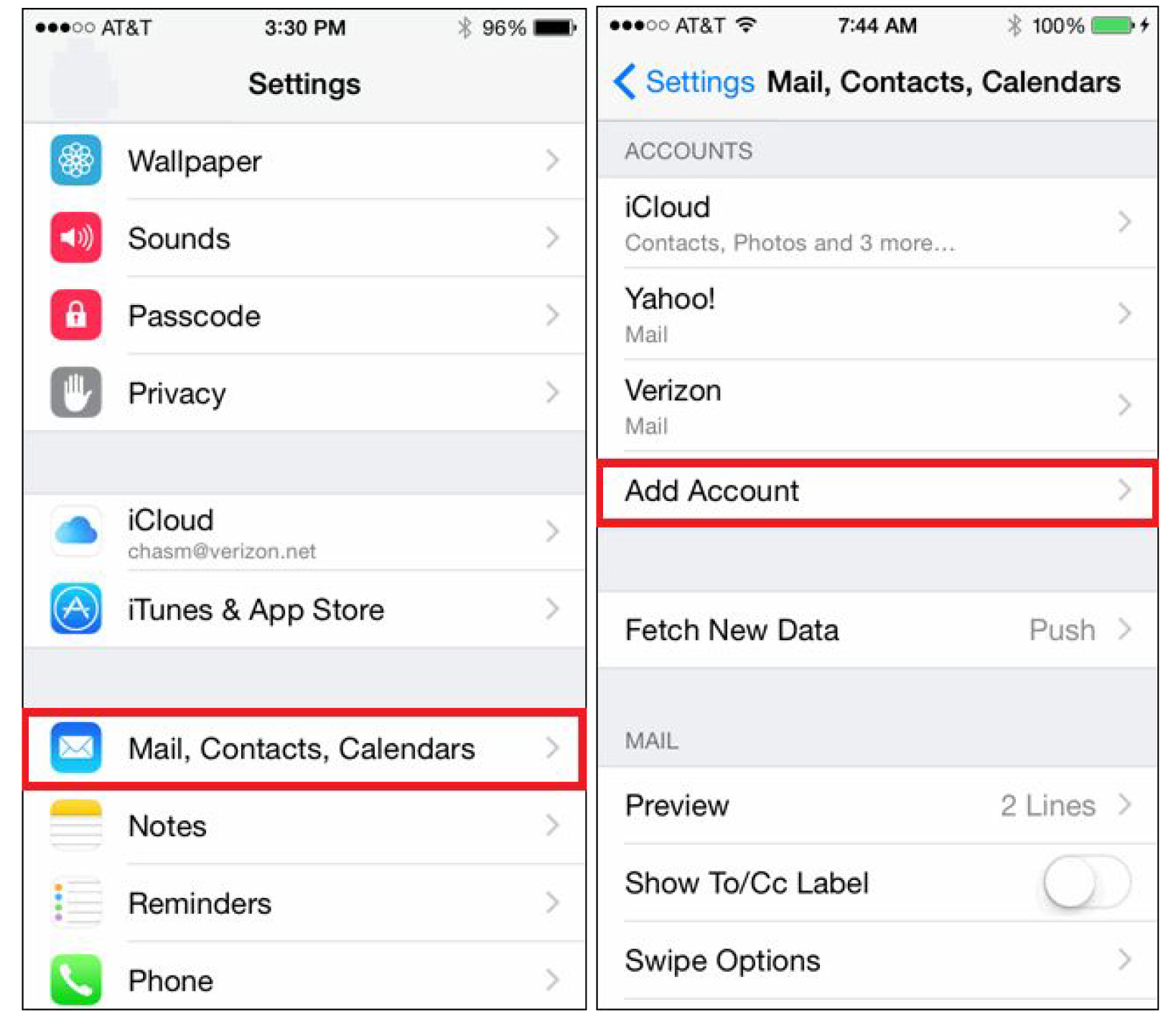
2. Tap “Add Account” and select Other as the type of account.

3. In the Email and Username field, enter your Email Plus email address and password
used to log into your account. Click Next.

4. Select IMAP at the top of the next page. Enter the incoming and outgoing server information as shown below:

Incoming mail server: mailman.tranquility.net
Outgoing mail server: mailman.tranquility.net
Please make sure username is your full email address @tnetmail.net, and the password is entered properly.
5. Click Save. That’s it!
Still having trouble with your set up?
Please call 573-443-3983 for tech support and remote setup.

More answers are
just a click away.
Browse the latest support articles at left, or if your question isn't covered in these topics, search our support center.
Ask The Tech Guy (39)
Dialup Setup (6)
Email Fraud Alerts (2)
Email Plus (2)
Email Setup (17)
Fiber (4)
How To (26)
Internet Dictionary (29)
T1/DS3 (3)
Tips (32)
Tnet Mail (17)
Web Hosting (3)
Website Resources (26)

We're a new kind of old school. We do house calls.
And business calls. If you'd rather save yourself some time and energy, we can come set up and fix stuff for you. Visit our remote support page for pricing information.
573-443-3983 |